
Top 10 Best Vibe Coding Tools to Try in 2026
- Shreyas Karanjkar

- Mar 26
- 7 min read
Updated: Mar 28
In early 2025, Andrej Karpathy coined the term “vibe coding” to describe a way of building software where you describe what you want in plain English and let an AI handle the actual code. By November, Collins Dictionary named it Word of the Year. Now in 2026, vibe coding has moved from a cultural meme to a legitimate engineering workflow.
The scale of AI’s role in software development is hard to ignore. According to Stack Overflow’s 2025 Developer Survey, 84% of developers now use or plan to use AI tools, and roughly 42% of all committed code is AI‑assisted. But here’s the tension: adoption is surging while trust is dropping. Only 29% of developers say they trust AI‑generated output, down from 40% in 2023.
That tension is exactly why choosing the right vibe coding tool matters. This article is written for engineers, product designers, and technical decision‑makers who need tools that go beyond autocomplete and actually hold up in real workflows. Let’s find out the best tools you can use for vibe coding today.
How We Evaluated These Vibe Coding Tools
We combined insights from public benchmarks with criteria that matter to professional teams. Here’s what we looked at:
Prompt‑to‑prototype speed: How fast you get from a text description to a usable first draft.
Code quality and exportability: Structure, readability, and ability to move code into your own repos.
Autonomy vs. control: Agentic behavior balanced with the ability to inspect, override, and version.
Stack integration: Git, CI/CD, cloud infrastructure, design tools, and data stores.
Security and guardrails: Auth handling, secrets management, and access control.
Pricing model: BYO API key vs. SaaS subscription, and how token or credit usage scales.
Community signal: Real feedback from Reddit, X, and developer review platforms.
1. Cursor: Best AI IDE for Everyday Engineering
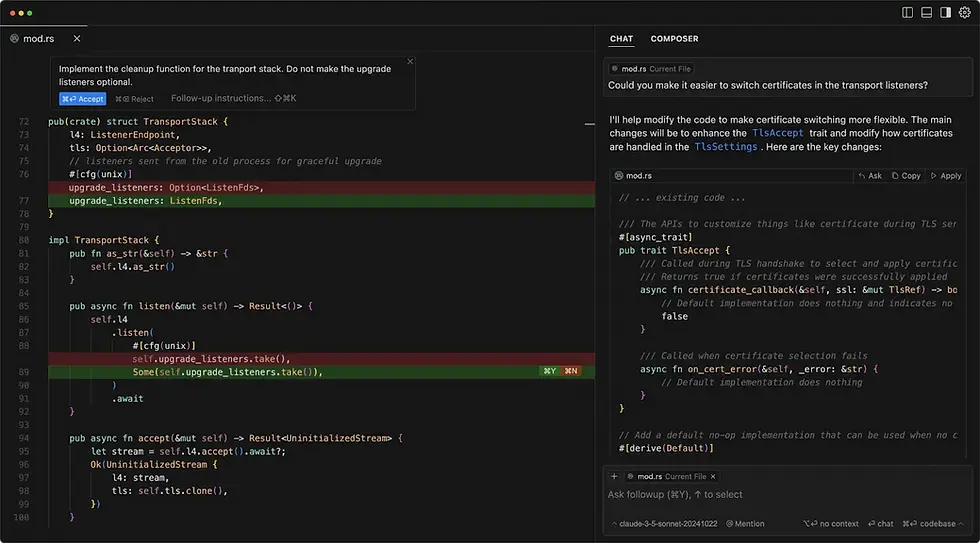
Cursor is a VS Code fork with deep AI integration for codebase‑aware edits, multi‑file refactors, and inline suggestions. It supports model switching between Claude and GPT, and its Composer mode handles complex, multi‑file tasks that simpler copilots can’t touch.

Pros:
Familiar VS Code experience with low adoption friction
DreamHost scored it 57.5 out of 70 in independent testing
Handles large codebases (50k+ lines of code) reliably
Cons:
Steeper learning curve for non‑developers
Can lag or freeze while indexing on massive repos
Pricing:
Free plan for hobbyists
Individual: $60 per month
Teams: $40 per user per month
Custom pricing for enterprise
Tip: Use .cursor rules files for project‑specific AI guidelines and standardize a team prompting playbook (e.g., always ask Cursor to propose tests before writing implementation code).
2. Claude Code: Best CLI Agent for Deep Codebase Work
Claude Code is Anthropic’s terminal‑based coding agent. You interact with it through natural language to navigate, edit, and refactor your repo directly from the command line. It excels at understanding large, complex codebases and planning multi‑step changes.

Pros:
Excellent for explaining unfamiliar code and planning large refactors
Works inside your existing dev environment with no UI overhead
Hackathon winners on X regularly cite its architectural reasoning as a standout feature
Cons:
Requires CLI comfort
Not suited for designers or PMs
Usage limits on lower tiers can be restrictive for intensive work
Pricing:
Free plan available
Claude Pro: $17 per month
Max tiers: $100 per month (5x usage than pro) and $200 per month (20x usage than pro)
Teams: Standard seat - $20 per user per month and Premium seat - $100 per user per month
Custom pricing for enterprise users
We recommend using Claude Code to draft migration plans and RFCs, then execute incrementally. Keep humans in the loop for security‑sensitive modules.
3. Cline: Best “Bring‑Your‑Own‑Model” Agent for VS Code

Cline is an open‑source IDE agent that plans tasks, asks clarifying questions, and executes autonomously inside VS Code, Cursor, or Windsurf. It supports multiple LLM providers, so you pick the model that fits your budget and use case.
Enforce per‑developer usage budgets and scope tasks narrowly. A prompt like “migrate this one module to the new API” will outperform a broad “fix everything” instruction every time.
Pros:
Excellent value for power users who want full control over model selection
Transparent, customizable behavior
Strong error‑recovery and iteration capabilities
Cons:
Easy to burn through API credits in autonomous mode
Initial setup (environment variables, API key management) can intimidate less technical users
Pricing:
Free for individual developers. You pay only through your own API keys.
For teams: $20 per user/month
For enterprise users, custom pricing is available
4. Vercel v0: Best for Production‑Ready React Frontends
v0 is Vercel’s AI‑powered frontend generator. You describe a component or page in natural language and get React + Tailwind + shadcn/ui code with a live preview. Its Design Mode lets you make visual tweaks that preserve the underlying code structure.

Pros:
Clean, production‑grade React output.
Built‑in security scanning that has blocked over 100,000 insecure deployments
Seamless deployment to Vercel’s infrastructure
Cons:
Frontend‑focused with limited backend capability
Cloud‑only, making it harder to self‑host for organizations with strict data residency requirements
Pricing:
Free tier available
Teams: $30 per user per month
Business: $100 per user per month
Enterprise: Custom pricing
Our advice would be to use v0 for UI exploration and initial component scaffolding, then bring components into your monorepo. Always pair with automated visual regression tests and linting.
5. Lovable: Best for Chat‑Driven SaaS MVPs
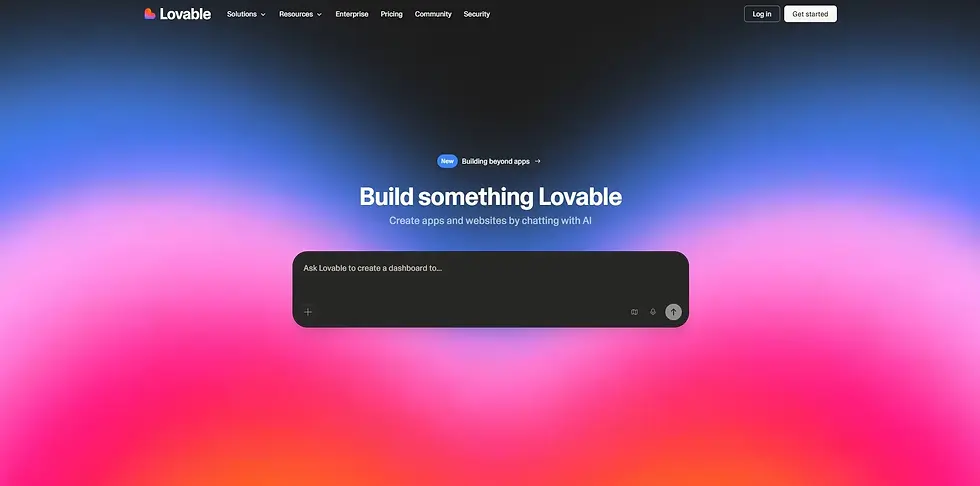
Lovable is a browser‑based platform that lets you chat your way to a working app. It comes with Supabase backend integration, GitHub sync, Figma imports, and built‑in authentication, so you can go from idea to deployed MVP fast.
Pros:
Extremely fast MVP generation
Great onboarding experience for ‘non‑developer’ user base
Real‑time collaboration features make it easy to work across product and design teams
Cons:
Credit burn on iterations adds up quickly
Community feedback consistently flags gaps between marketing promises and complex production use cases
Pricing:
Free plan offers 5 daily credits (up to 30/month)
Pro: $25 per month
Business: $50 per month
Enterprise: Custom pricing
Tip: Treat Lovable as a throwaway validation environment. Lock in the product idea and user feedback, then migrate core logic into your own repositories once the concept is proven.
6. Replit: Best for Full‑Stack Prototyping with AI Agents
Replit is a cloud IDE that has evolved into a full‑stack vibe coding platform. Its Agent 3 can plan, build, and deploy complete applications autonomously. Built‑in auth, database, Stripe integration, and hosting mean you can go from prompt to live app without leaving the browser.

Pros:
Zero‑setup path to a live full‑stack app
Great for internal tools, hackathons, and rapid AI app experiments
Multiplayer editing works well for team prototyping
Cons:
Effort‑based pricing can spike unexpectedly
Code and data reside on Replit infrastructure, which is a non‑starter for teams with strict data governance needs
Pricing:
Starter: Free
Replit Core: $20 per month
Replit Pro: $100 per month
Enterprise: Custom
A word of advice: Replicate important Repls into your core Git repos once prototypes stabilize. Add unit tests as soon as Agent 3 gets a flow working. Don’t rely on visually “working” demos as proof of quality.
7. Tempo: Best for React and Expo Teams Working from Figma
Tempo is a React‑specialized vibe coding platform with tight Figma integration and ready‑made SaaS templates. If your team designs in Figma and builds in React or Expo, Tempo dramatically shortens the handoff loop.
Before you go all-in, lock in your design tokens and component standards. Tempo works best when your design system is already clear and documented.

Pros:
Significantly reduces the Figma‑to‑working‑React cycle
Good balance of visual editing and code‑level access
Mobile support through Expo makes it versatile for cross‑platform teams
Cons:
Requires React familiarity, so it’s not for non‑technical founders
Better suited for greenfield projects than messy legacy codebases
Pricing:
Free plan: 30 credits (max 5 per day)
Pro: $30/month (for 150 credits; prices vary as credits increase)
Agent+: $4500/month
8. Bolt.new: Best for Rapid Full‑Stack Prototyping
Bolt.new is a browser‑based builder for full‑stack apps with an integrated terminal, dependency management, and one‑click deployment. It generates clean project structures and supports Stripe and Figma integrations out of the box.

Pros:
Generous free tier that lets you test thoroughly before committing
Consistent file structures make it easy to pick up and continue in another environment
Cons:
Bolt rewrites entire files when making edits rather than targeting specific sections, which depletes tokens fast
Community reports on Reddit flag recurring authentication bugs, hence not ideal for long‑term maintenance.
Pricing:
Free (300K tokens daily, 1M tokens/mo)
Pro: $20/mo (10M tokens)
Teams: $30 per user/month
Enterprise: Custom pricing
Tip: Use file locking during iterations to prevent the AI from overhauling working code. This saves both tokens and sanity in multi‑step builds.
9. Emergent: Fastest‑Growing Full‑Stack Vibe Coding Studio
Emergent is the breakout story in vibe coding. Launched in 2025, it hit $100M in annual run‑rate revenue in just eight months, backed by $100M in total funding from SoftBank, Khosla Ventures, and Y Combinator. Over 6 million users across 190+ countries have created more than 7 million applications on the platform.

Pros:
Full‑stack generation with integrated backend, 40+ AI model options, and real‑time collaboration
Strong early traction signals genuine product‑market fit
Nearly 70% of its users have no prior coding experience, which speaks to its accessibility
Cons:
Young platform with stability still evolving
Limited enterprise references compared to established players
Migration between environments can be clunky, per Reddit feedback
Pricing:
Free tier available
Standard: $20/month
Pro: $200/month
Enterprise: Custom
Tip: Use primarily for new modules and greenfield apps. Keep mission‑critical systems on battle‑tested infrastructure until the platform matures further.
10. OutSystems Mentor: Best Enterprise Vibe Coding with Governance
OutSystems is a mature enterprise low‑code platform that added AI‑powered “Mentor” and “Agent Workbench” capabilities for vibe‑style development. If you’re in a regulated industry (banking, healthcare, insurance) and need AI acceleration without sacrificing governance, this is the play.

Pros:
Used by 2,000+ customers including Fortune 500 companies
Full SDLC management with versioning, testing, environments, and compliance tooling
Deep security and lifecycle governance that generic vibe coding tools simply don’t offer
Cons:
Steep learning curve
Not “pure vibe coding” in the way other tools on this list are
Still requires developer onboarding and significant configuration
Pricing: Custom enterprise pricing
Tip: Start with one or two flagship internal workflows before expanding org‑wide. This lets you validate governance controls and measure ROI before a broader rollout.
Vibe Coding Isn’t Replacement to Custom AI
Vibe coding tools are exceptional for speed. Prototypes, scaffolding, UI generation, internal tools: they handle all of it well. But complex AI products need evaluation frameworks, data governance, RAG pipelines, custom model orchestration, observability, and security hardening that no vibe coding tool provides out of the box.
That’s where Axia comes in. From hardening vibe‑coded prototypes into secure, maintainable production systems to designing end‑to‑end AI product architectures integrated with your existing cloud and engineering processes, Axia bridges the gap between fast prototyping and production‑grade AI.
With trust in AI‑generated code still low and the stakes of shipping flawed AI products high, having expert engineering partners ensures your product ships with confidence.
So, if you’re ready to move beyond prototypes, talk with our AI experts today to build a scalable, secure custom AI product.


Comments